
BulletProof FTP Server2017.2.0.36 - Download
You'll be able to download in few seconds.
Publisher Description
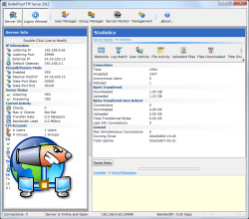
BPFTP Server is a powerful FTP Server for business, corporate or even home use. Both easy to use through a fully graphical control method and powerful with control over everything! BPFTP Server has all RFC-959 features plus many other options, such as resuming upload / download, viewing server activity in real time, ban, kick, anti hammering, ratio, quota groups management, event manager, real time statistics generator, top 10 user, virtual directories, Chat...
About BulletProof FTP Server
This FTP Servers program is available in English. It was last updated on 29 September, 2026. BulletProof FTP Server is compatible with the following operating systems: Windows, Windows-mobile.
The company that develops BulletProof FTP Server is BulletProof Software. The latest version released by its developer is 2017.2.0.36.
The download we have available for BulletProof FTP Server has a file size of 21.0 MB. Just click the green Download button above to start the downloading process. The program is listed on our website since 2017-06-19 and was downloaded 0 times. We have already checked if the download link is safe, however for your own protection we recommend that you scan the downloaded software with your antivirus. Your antivirus may detect the BulletProof FTP Server as malware if the download link is broken.
How to install BulletProof FTP Server on your Windows device:
- Click on the Download button on our website. This will start the download from the website of the developer.
- Once the BulletProof FTP Server is downloaded click on it to start the setup process (assuming you are on a desktop computer).
- When the installation is finished you should be able to see and run the program.
Program Details
System requirements
Download information
Pricing
Version History
version 2017.2.0.36
posted on 2017-06-19
Changes which prevent ftp-clients from loosing connection to ftp-server when DISK-QUOTA/Private-P2P/MotD/CWD is enabled. Updated OpenSSL libs.
version 2017.2.0.35
posted on 2017-03-06
SUMMARY: Fixes to stabalize running as SERVICE. Corrections to Server Monitor -> Upload|Download Summary. OpenSSL updated. Internal code changes.
version 2017.2.0.33
posted on 2017-02-06
Many UI fixes that include UI elements that didn't respond when clicked and MSIE mistakenly being used as the web-browser
version 2.3.1.26
posted on 2005-03-21
Version 2.4.0.31 22-Mar-2005 -- GENERAL RELEASE
-------------------------------------------------------------------------
x : Installed a fix into the source to fix a problem with Windows not shutting down if BPFTP Server is minimized and running as a TrayIcon
* : Made all hints use modern "Balloon Hints"
* : During Install, as the last step, the option to "Install BPFTP Server as a Service" is unchecked by DEFAULT; Also moved "Launch BulletProof FTP Server" check box above this option.
+ : Put the programs full version number in the Main windows titlebar
Version 2.4.0.30 14-Mar-2005 -- NOT RELEASED
-------------------------------------------------------------------------
x : Changed the Mutex that BPFTPSERVER uses to make sure that the program isnt running during a new install or multiple instances
x : Changed the registry key used to add bpftpserver.exe to the Windows Firewall Exclusion list (previous attempt was just for Error Reporting back to M$)
i : Stream lined the Installer Scripts to support pre-processing for the build version, appname, etc (INTERNAL)
x : Change the look/feel of the "Log Server Output to Screen/File" into a Persistent-Down/Up Toggle button (like the "Show Connected Users")
x : Reworked the "Group Accounts" dialog to conform to the style defined with the "Server Config" and "User Accounts" dialog
x : Made the default page for the PageControls used in "Server Confirm", "User Accounts" and "Group Accounts" to default to the correct "first" tab
x : Fixed more truncated text problems due to increasing the width of the main font (Verdana)
x : Fixed a bug which prevented the editing of a directory access right under "User Accounts"
x : Fixed a problem where if the server was setup to start minimized to the tray, only a rich-click of the TrayIcon and selected "Show Window" would bring it back. Double-clicking the TrayIcon would cause a Taskbar icon to appear, but would not make the window visible
Version 2.4.0.29 02-Mar-2005 -- BETA TEST GROUP
-------------------------------------------------------------------------
x : Events Manager can not be brought up with the Main Menu, Toolbar Icon, Ctrl-E, from the TrayIcon
x : Access Violation when bringing up the Tip of the Day (F2)
x : Reworked the UI for the "User Accounts" dialog, now consistent with the Server Config. Fixed captions which were being cut off.
x : Removed the storing of MainForm: Size, State, Location from bpftpserver.ini as it was conflicting with values stored in FTPsrv.ini
x : Changed the initial width/height of the MainForm to 640x480
x : StayOnTop was not being stored/retrieved correctly from the INI file, fixed as it was *always* being toggled to TRUE on program execution
+ : Added a toggle to put BPFTP Server in the Windows XP SP2 Firewall Exclusion List, thanks "mremec of Ljubljana, Slovenia"
Version 2.4.0.28 01-Mar-2005 -- BETA TEST GROUP
-------------------------------------------------------------------------
x : New TrayIcon menu options and completely rewritten in an effort to track down Access Violation
x : Added Try...Exception blocks around calls to CheckMethod
x : Fixed missing icons from MainMenu
x : Fixed the "Show Window" from the TrayIcon Popup Menu
+ : Made the Main Window sticky to the sides of the screen, window will jump to the edge when moving if within 10 pixels
+ : Lots of new functions are available from the TrayIcon
Version 2.4.0.27 28-Feb-2005 -- BETA TEST GROUP
-------------------------------------------------------------------------
Major Upgrade - Hundreds of bugs and updates have been made in this update. Unfortunately detailed accounts of each change has not been tracked. Later version will include a more detailed accounting of changes.
x : Numerous bugs and UI inconsistencies have been corrected
* : All User Interface objects have been updated to fully support Windows XP and Theming
* : Common core objects have been updated to newest versions
i : Code has been ported and compiled up to the newest compiler, Upgraded from Delphi 6 to Delphi 7
Disclaimer
External Download
We do not host BulletProof FTP Server on our servers. We did not scan it for viruses, adware, spyware or other type of malware. This app is hosted by the software publisher and passed their terms and conditions to be listed there. We recommend caution when installing it.
The external download link for BulletProof FTP Server is provided to you by apps112.com without any warranties, representations or guarantees of any kind, so access it at your own risk.
If you have questions regarding this particular app contact the publisher directly. For questions about the functionalities of apps112.com contact us.
